-
Courses

Courses
Choosing a course is one of the most important decisions you'll ever make! View our courses and see what our students and lecturers have to say about the courses you are interested in at the links below.
-
University Life

University Life
Each year more than 4,000 choose University of Galway as their University of choice. Find out what life at University of Galway is all about here.
-
About University of Galway
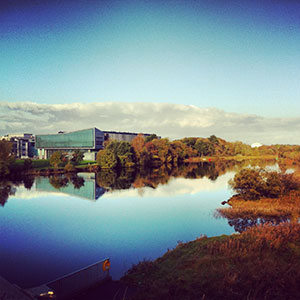
About University of Galway
Since 1845, University of Galway has been sharing the highest quality teaching and research with Ireland and the world. Find out what makes our University so special – from our distinguished history to the latest news and campus developments.
-
Colleges & Schools

Colleges & Schools
University of Galway has earned international recognition as a research-led university with a commitment to top quality teaching across a range of key areas of expertise.
-
Research & Innovation

Research & Innovation
University of Galway’s vibrant research community take on some of the most pressing challenges of our times.
-
Business & Industry
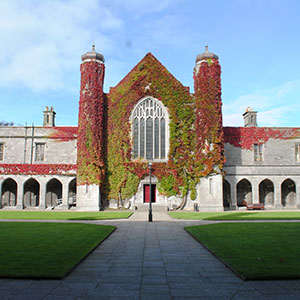
Guiding Breakthrough Research at University of Galway
We explore and facilitate commercial opportunities for the research community at University of Galway, as well as facilitating industry partnership.
-
Alumni & Friends

Alumni & Friends
There are 128,000 University of Galway alumni worldwide. Stay connected to your alumni community! Join our social networks and update your details online.
-
Community Engagement

Community Engagement
At University of Galway, we believe that the best learning takes place when you apply what you learn in a real world context. That's why many of our courses include work placements or community projects.
 Accessibility & Language
Agresso Access for Expenses

Use Google Chrome, Edge to access Agresso online.
Agresso Account Setup - Active University Staff
To request access to financial systems, follow the steps below:
-
Find Your Staff/Payroll Number
Locate your six-digit staff/payroll number on your Payslip or Staff Card. -
Open a ticket with the Service Desk
Submit a ticket using the following request path:
01. Access to IT Services > Request Access > Financial Management (Agresso) - Travel & Subsistence -
Specify the Required Access
Clearly indicate which financial system roles you require access to Travel & Subsistence
Agresso Account Setup - Active Scholarship Students
To request Financial System access (e.g., Travel & Subsistence, Requisitioner), follow these steps:
- Obtain Your Scholarship Number: This is your valid six-digit scholarship number.
-
Log a Call with the Service Desk: Use the following request path:
01. Access to IT Services > Request Access > Financial Management (Agresso) - Travel & Subsistence
-
Specify Required Access/Roles: Travel & Subsistence
How to Find Your Scholarship Number
If you don’t know your scholarship number, try the following:
-
Check Your Bank Statement: Look for University of Galway scholarship payments. The six-digit number is usually listed as the payment reference.
-
Ask Your Supervisor/Director: They can find it in the “Staff/Student” column of Financial System reports. (Note: This will only appear on Agresso after your first scholarship payment is made.)
How to Reset Password
- Go to the Financial System login screen.
- Click on “Forgotten your password?”
- Follow the prompts to reset your password through the Financial System Self-Service Password Reset - University of Galway portal.
Lockout occurs after 6 failed login attempts and it is not possible to log in until after 30 minutes have elapsed.
If you are still unable to reset your password using this method, please open an ISS ticket and request a password reset.
Service Desk: 01. Access to IT Services > Request Reset Password > Financial Management (Agresso)
Students without a Payroll or Scholarship ID, Agency Staff, and Visitor Staff
Cannot access Agresso to submit Travel & Subsistence claims.