-
Courses

Courses
Choosing a course is one of the most important decisions you'll ever make! View our courses and see what our students and lecturers have to say about the courses you are interested in at the links below.
-
University Life

University Life
Each year more than 4,000 choose University of Galway as their University of choice. Find out what life at University of Galway is all about here.
-
About University of Galway

About University of Galway
Since 1845, University of Galway has been sharing the highest quality teaching and research with Ireland and the world. Find out what makes our University so special – from our distinguished history to the latest news and campus developments.
-
Colleges & Schools
Colleges & Schools
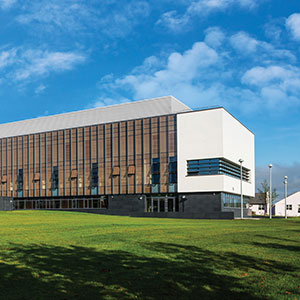
University of Galway has earned international recognition as a research-led university with a commitment to top quality teaching across a range of key areas of expertise.
-
Research & Innovation

Research & Innovation
University of Galway’s vibrant research community take on some of the most pressing challenges of our times.
-
Business & Industry
Guiding Breakthrough Research at University of Galway
We explore and facilitate commercial opportunities for the research community at University of Galway, as well as facilitating industry partnership.
-
Alumni & Friends

Alumni & Friends
There are 128,000 University of Galway alumni worldwide. Stay connected to your alumni community! Join our social networks and update your details online.
-
Community Engagement
Community Engagement
At University of Galway, we believe that the best learning takes place when you apply what you learn in a real world context. That's why many of our courses include work placements or community projects.
 Accessibility & Language
Technology and Canvas
Technology
In the current crisis, we have all become more dependent on technology, but not everyone is as comfortable with computers as others. Here are some different technology application, support and development resources available to you through NUI Galway.
Some Handy Tools:
- Outlook: Not just for emails, but for planning your study diary/timetable and managing To-Do lists
- OneDrive: Never worry about not backing up that essay or report again” Keep all your files stored, accessible, and organized using your free online storage as part of your Microsoft 365 account
- OneNote: Brilliant for taking and collating lecture notes, grapping info on phone and storing in your online notebooks. You can take pics of drawings, grab snapshots of relevant websites, and lots more
Digital Support and Development
- ISS: Information Solutions & Services is the name given to our IT support service. Click here to visit their website, which includes details of Microsoft 365, using your campus account, etc
- All aboard: All Aboard is a collection of online lessons covering lots of the basics of digital media and tools. Learn more here.
Canvas
Canvas is our main 'Virtual Learning Environment' or 'Learning Management System'. As soon as you are officially enrolled on a module you should be able to access its Canvas pages. Your lecturers have control over what content they choose to put onto Canvas and how it is presented to you.
If you have any queries about where to find information within a Canvas module, please contact the lecturer. Similarly, the lecturer manages the assessments, tests, and online classes for their own modules and so should be able to answer any related queries that aren't covered in this page.
Help and instructional videos on using Canvas are available at the following link: Canvas - Help for Students.