-
Courses

Courses
Choosing a course is one of the most important decisions you'll ever make! View our courses and see what our students and lecturers have to say about the courses you are interested in at the links below.
-
University Life

University Life
Each year more than 4,000 choose University of Galway as their University of choice. Find out what life at University of Galway is all about here.
-
About University of Galway

About University of Galway
Since 1845, University of Galway has been sharing the highest quality teaching and research with Ireland and the world. Find out what makes our University so special – from our distinguished history to the latest news and campus developments.
-
Colleges & Schools

Colleges & Schools
University of Galway has earned international recognition as a research-led university with a commitment to top quality teaching across a range of key areas of expertise.
-
Research & Innovation

Research & Innovation
University of Galway’s vibrant research community take on some of the most pressing challenges of our times.
-
Business & Industry
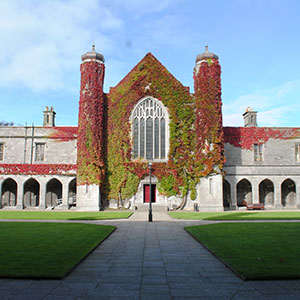
Guiding Breakthrough Research at University of Galway
We explore and facilitate commercial opportunities for the research community at University of Galway, as well as facilitating industry partnership.
-
Alumni & Friends

Alumni & Friends
There are 128,000 University of Galway alumni worldwide. Stay connected to your alumni community! Join our social networks and update your details online.
-
Community Engagement

Community Engagement
At University of Galway, we believe that the best learning takes place when you apply what you learn in a real world context. That's why many of our courses include work placements or community projects.
 Accessibility & Language
Teams

What is Teams?
Microsoft Teams is a collaboration app that helps your team stay organized and have conversations—all in one place. It allows you to create private or open channels for rich conversations which are enhanced by integrated file sharing, conference style meetings like skype, record or share notes and link content from your favorite apps. You can organise and customise your chat space with minimal effort and data compliance is built into the platform so you don't have to worry about it.
Getting to know Microsoft Teams
Teams is simple to use. Aside from chat, there are lots you can do including files, notes, meetings and apps to enrich your conversations. You don't have to use everything the Teams platform has to offer, the features are well grouped & organised to make it intuitive to navigate and use with very little or even no guidance at all. Teams is worth taking time to explore with the aid of some good guidance if needed. At it's core, Teams is a communications tool with extraordinary capabilities for enriching your conversations in various ways.

How do I Access Teams?
Teams can accessed from the waffle tile / apps section of your Microsoft 365 account.
- In your web-browser, sign in with your University credentials
- Click the application launcher located on the top left of the screen (behind the waffle)
- Scroll down and select Teams from the list of applications
Are all web browsers supported?
Microsoft Teams officially supports the latest three versions of Microsoft Edge, Google Chrome, and Firefox on Windows, macOS, and Linux. Apple Safari is supported on macOS (latest two versions). For the best experience, we recommend using the native Microsoft Teams app or Microsoft Edge.
Is there a Desktop version of Microsoft Teams that can be downloaded?
Yes. All University of Galway laptops have Microsoft Teams installed by default. You can download Microsoft Teams here.
Can I use Microsoft Teams Teams App on my mobile device?
Yes, you can. Download Teams onto your phone from the Google Play Store for Android phones, or through the Apple App Store for iOS devices.
When prompted, sign in with your University credentials.
Are there any Limitations I Should know about?
Demographic
Teams is available to both Staff and Students at the University of Galway only.
Dial-in by phone
Dial in by phone is available for Microsoft Teams meetings created by staff only. The dial in details are listed with the meeting invitation.
Feature Limits
Please see the Microsoft Teams help site for more information on limitations and hosting large meetings.
Storage Limits
Storage - 25 TB per site collection/ group
File Upload - 250 GB
Messaging Limits
Message size - 24 KN
File Attachments - 20
Inline image attachments - 50
Where can I go for more Information to help me on my Teams journey?
Microsoft have a wealth of resources to help you navigate your journey with Teams. See their vast training documentation here for more information.
I have another question. What can I do?
If anything is unclear get in touch with the Library and IT Service Desk.