-
Courses

Courses
Choosing a course is one of the most important decisions you'll ever make! View our courses and see what our students and lecturers have to say about the courses you are interested in at the links below.
-
University Life

University Life
Each year more than 4,000 choose University of Galway as their University of choice. Find out what life at University of Galway is all about here.
-
About University of Galway

About University of Galway
Since 1845, University of Galway has been sharing the highest quality teaching and research with Ireland and the world. Find out what makes our University so special – from our distinguished history to the latest news and campus developments.
-
Colleges & Schools

Colleges & Schools
University of Galway has earned international recognition as a research-led university with a commitment to top quality teaching across a range of key areas of expertise.
-
Research & Innovation

Research & Innovation
University of Galway’s vibrant research community take on some of the most pressing challenges of our times.
-
Business & Industry
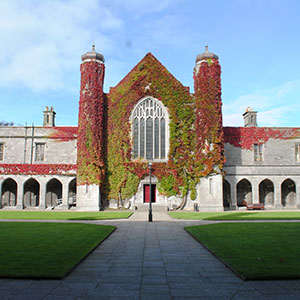
Guiding Breakthrough Research at University of Galway
We explore and facilitate commercial opportunities for the research community at University of Galway, as well as facilitating industry partnership.
-
Alumni & Friends

Alumni & Friends
There are 128,000 University of Galway alumni worldwide. Stay connected to your alumni community! Join our social networks and update your details online.
-
Community Engagement

Community Engagement
At University of Galway, we believe that the best learning takes place when you apply what you learn in a real world context. That's why many of our courses include work placements or community projects.
 Accessibility & Language
Leavers & Resignation Procedure
Leaving the University – What You Need to Know
All employees, including those paid by timesheet, must follow the HR leaving/resignation process to ensure their employment ends correctly for payroll, tax and pension purposes.
Before You Leave
1. Complete the HR Leavers Checklist
You must complete the HR Leavers Checklist before your final day of employment.
2. Follow the Correct Resignation Process
See the HR resignation process for forms and guidance.
Salary Paid Academic Staff
- Complete the Retirement and Resignation Form (Academic Staff).
- Provide three months' notice.
- Notice must end on 30 June or 31 December.
Salary Paid Non-Academic Staff
- Complete the Retirement and Resignation Form (Non-Academic Staff).
- Provide one month's notice.
Teaching Support Staff
- Employment normally ends on the date stated in your contract.
- If your end date changes, HR must be notified at least one month in advance.
- If you are paid by timesheet, submit your final timesheet promptly to ensure all payments are processed.
Student Ambassadors
- Student Ambassadors are paid by timesheet and do not have fixed working hours.
- Submit your final timesheet promptly to ensure all payments are processed.
- You should notify HR of your final working date.
- If no payment has been made for three months, the University must end your employment record and report your last working day to Revenue.
3. Save Your Payslips
Before leaving access your payslips on Core Portal, download and save any payslips you may need for future reference.
We recommend keeping:
- The final payslip for each year of employment. (ex. December payslip for each year)
- Recent payslips from the months before your final payment. (ex. the last 6-12 months)
Core Portal access
- Most access ends on your final day.
- Payslips remain available for 30 days after your leaving date.
- After 30 days, online access to payslips will cease.
After You Leave
Revenue, Tax and Social Welfare
When your employment ends, the University updates Revenue and Social Welfare records.
Having the correct leaving date:
- Ensures correct taxation in future employment.
- Helps avoid issues with PAYE, PRSI and USC records.
- May support claims for tax refunds or Social Welfare benefits.
You should review your Revenue record after leaving to ensure your employment has ceased correctly.
For further information visit Revenue Website
Additional Superannuation Contribution (ASC)
- ASC deductions will cease when your employment ends.
- Contact the Payroll Office to obtain your ASC45 Cessation Certificate.
- If you move to a new or concurrent pensionable public service employer, provide them with your ASC45 to ensure your ASC is calculated correctly.
- Your ASC60 Certificate, showing ASC deductions for previous years, is available on Core Portal and may be required for end-of-year balancing where you have multiple public service employers.
- If you are moving to a non-public sector role, you may be entitled to an ASC refund before leaving the University. Please review the ASC12 Form
- For further information, visit the Payroll ASC webpage or email payroll@universityofgalway.ie
Pension Schemes
If you are a member of a University pension scheme, review any pension options or benefits available to you.
- Website: Pensions & Investments Office
- Email: pensions@universityofgalway.ie
Group Life and Income Protection
Cover under these schemes generally ends when your employment ends, subject to scheme rules.
For further information, contact: pensions@universityofgalway.ie
Voluntary Deductions
The following deductions will cease when your employment ends:
- Additional Voluntary Contributions (AVCs)
- Voluntary Personal Accident Scheme
- Travel Pass Scheme
- Cycle to Work Scheme
- VHI Healthcare
- St. Anthony's Credit Union contributions
- Charity contributions
You may need to make alternative arrangements directly with the provider.