-
Courses

Courses
Choosing a course is one of the most important decisions you'll ever make! View our courses and see what our students and lecturers have to say about the courses you are interested in at the links below.
-
University Life

University Life
Each year more than 4,000 choose University of Galway as their University of choice. Find out what life at University of Galway is all about here.
-
About University of Galway

About University of Galway
Since 1845, University of Galway has been sharing the highest quality teaching and research with Ireland and the world. Find out what makes our University so special – from our distinguished history to the latest news and campus developments.
-
Colleges & Schools

Colleges & Schools
University of Galway has earned international recognition as a research-led university with a commitment to top quality teaching across a range of key areas of expertise.
-
Research & Innovation

Research & Innovation
University of Galway’s vibrant research community take on some of the most pressing challenges of our times.
-
Business & Industry
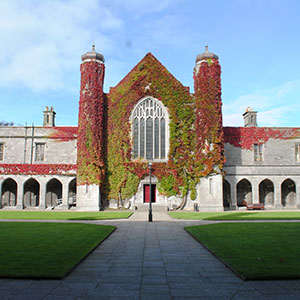
Guiding Breakthrough Research at University of Galway
We explore and facilitate commercial opportunities for the research community at University of Galway, as well as facilitating industry partnership.
-
Alumni & Friends

Alumni & Friends
There are 128,000 University of Galway alumni worldwide. Stay connected to your alumni community! Join our social networks and update your details online.
-
Community Engagement
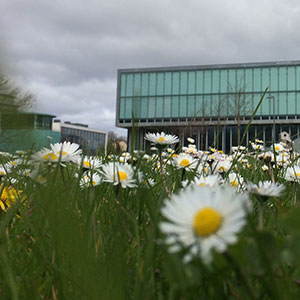
Community Engagement
At University of Galway, we believe that the best learning takes place when you apply what you learn in a real world context. That's why many of our courses include work placements or community projects.
 Accessibility & Language
Remote Access Dos and Donts
Things to remember when working remotely
When working while off-campus, it is important for University staff to be aware of the following:
- Complete our online IT Security Awareness training.
- Only remotely connect to secured resources using official methods as listed on the University's Remote Access web pages.
- Only use official University platforms, including Canvas and the University’s Microsoft 365 environment (which includes Outlook, OneDrive, SharePoint and Microsoft Teams).
- Keep your device in a safe location and minimise who else can view your screen.
- Lock your device if you do have to leave it unattended for any reason. Make sure your devices are stored carefully when not in use.
- Take extra care that devices, such as USBs, phones, laptops, or tablets, are not lost or misplaced. The use of removable storage devices (such as USB sticks) is not recommended.
- Before sending an email, double-check its addressing to ensure you’re sending it to the correct recipients.
- Avoid saving University data onto any personal device. Be aware of saving duplicate copies of data where they may be visible to unauthorised individuals.
- Do not use personal email accounts for work.
- Keep any paper documents that contain University data secure when working at home. Where possible, avoid paper.
- Follow Guidance on how to collaborate and keep in touch with colleagues when working from home as outlined here.
- Consult with the University's Data Protection website to ensure that you are familiar with our Data Protection Policies and Procedures and read guidance from the Data Protection Commission.
- The National Cyber Security Centre (NCSC) have published working from home security guidance.