-
Courses

Courses
Choosing a course is one of the most important decisions you'll ever make! View our courses and see what our students and lecturers have to say about the courses you are interested in at the links below.
-
University Life

University Life
Each year more than 4,000 choose University of Galway as their University of choice. Find out what life at University of Galway is all about here.
-
About University of Galway

About University of Galway
Since 1845, University of Galway has been sharing the highest quality teaching and research with Ireland and the world. Find out what makes our University so special – from our distinguished history to the latest news and campus developments.
-
Colleges & Schools
Colleges & Schools
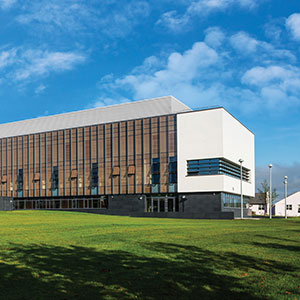
University of Galway has earned international recognition as a research-led university with a commitment to top quality teaching across a range of key areas of expertise.
-
Research & Innovation

Research & Innovation
University of Galway’s vibrant research community take on some of the most pressing challenges of our times.
-
Business & Industry
Guiding Breakthrough Research at University of Galway
We explore and facilitate commercial opportunities for the research community at University of Galway, as well as facilitating industry partnership.
-
Alumni & Friends

Alumni & Friends
There are 128,000 University of Galway alumni worldwide. Stay connected to your alumni community! Join our social networks and update your details online.
-
Community Engagement
Community Engagement
At University of Galway, we believe that the best learning takes place when you apply what you learn in a real world context. That's why many of our courses include work placements or community projects.
 Accessibility & Language
Remote Access for Staff

Remote Access for Staff
Using the same method as on-campus, Staff can access the following University IT Services using their Campus Account credentials:
- Canvas
- Curriculum Manager - Akari
- Employee Self-Service - Core Portal
- Exam Modelling Tool
- Financial System - Agresso Web *
- Library
- Microsoft 365 - Email, OneDrive, SharePoint Online and Teams
- Service Desk Ticketing System
- Student Records System - Quercus Web Portal *
Note: * The Financial System and Student Records System credentials are separate from your Campus Account credentials.
* To access the Financial System P2P invoices remotely, please log a ticket with the Library & IT Service Desk to request VPN client access. For more information, see Financial System FAQ's.
Accessing on-campus only services remotely

A small number of services require special methods of Remote Access. Details as follows:
Method 1: Web-based VPN

A web-based Virtual Private Network (VPN) service to allow users to access web-based services that are typically restricted to the University of Galway wired network.
Services available from the web VPN service using a web browser include:
- Building Management System (BMS)
- Internal University of Galway Website
- Library Turnstiles & Student Retention (LTSR)
Method 2: Client-based VPN

A client-based Virtual Private Network (VPN) service to allow users to access application services that are typically restricted to the University of Galway wired network.
The following systems can be accessed using a client-based VPN:
- Financial System (Agresso) - Invoicing
- Custom applications/systems: For example, HR Office applications, License servers, Unix-based machines (typically SSH), VNC etc.
Method 3: Windows Apps (formerly Remote Apps)
Windows Apps allow you to access applications that typically reside on the internal campus network from any location in the world.
The following systems may be accessed using Windows Apps:
- File Shares
- Employee Records (Core) - Back Office
- Finance System (Agresso) - Back Office (limited functionality)
- Reporting (Discoverer)
Method 4: Remotely connect to your office workstation (RDP)

Just like in the office, all services may be accessed by remotely connecting to an office workstation, including:
- Employee Records (Core) - Back Office
- Finance System (Agresso) - Back Office
- Reporting (Discoverer)
- Student Records (Quercus) - Back Office
- All other files and applications installed on your office workstation