-
Courses

Courses
Choosing a course is one of the most important decisions you'll ever make! View our courses and see what our students and lecturers have to say about the courses you are interested in at the links below.
-
University Life

University Life
Each year more than 4,000 choose University of Galway as their University of choice. Find out what life at University of Galway is all about here.
-
About University of Galway
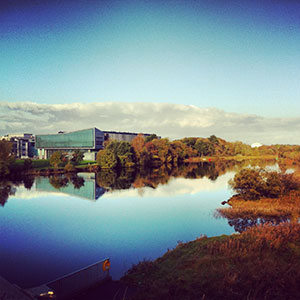
About University of Galway
Since 1845, University of Galway has been sharing the highest quality teaching and research with Ireland and the world. Find out what makes our University so special – from our distinguished history to the latest news and campus developments.
-
Colleges & Schools

Colleges & Schools
University of Galway has earned international recognition as a research-led university with a commitment to top quality teaching across a range of key areas of expertise.
-
Research & Innovation

Research & Innovation
University of Galway’s vibrant research community take on some of the most pressing challenges of our times.
-
Business & Industry
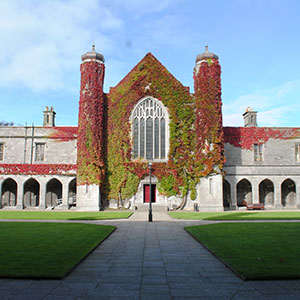
Guiding Breakthrough Research at University of Galway
We explore and facilitate commercial opportunities for the research community at University of Galway, as well as facilitating industry partnership.
-
Alumni & Friends

Alumni & Friends
There are 128,000 University of Galway alumni worldwide. Stay connected to your alumni community! Join our social networks and update your details online.
-
Community Engagement
Community Engagement
At University of Galway, we believe that the best learning takes place when you apply what you learn in a real world context. That's why many of our courses include work placements or community projects.
 Accessibility & Language
College Page Hero Image

Example college page hero image
This is a static image that can be used on any ultra-wide page.
The image should be 1600 x 550 px in dimensions, and either 72 or 96 dpi - To find out how to do this, see How to create web ready images.
Tip: Make sure the filename does not contain any spaces, and the file name has at least 3 characters (before the dot) or it might not upload.
Also, remove any characters that are reserved for web addresses ( ! * ' ( ) ; : @ & = + $ , / ? % # [ ] ) or you may not be able to browse to the file once it's uploaded.
You need to fully comply with copyright law. Ensure that you have the right to use any images on your webpage. Further information is available on our Images FAQ page - Where can I find Images to use on my site.
Once you have an image prepared, it's easy to add it to your page:
- Add a 'College Page Hero Image' content type to your page
- Give it a Name (this text will appear in the maroon box that overlays the image)
- Click on the Drop file here or click to choose field
- Select your web-ready 1600x550px image from your hard disk (the media library is not used by this content type)
- Click on Save changes to put your content on Pending

Or else,
Click on the small white arrow beside Save changes and choose Save and approve to approve your content.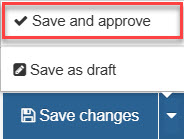
- Ensure this new content item is at the top of the content list. Go to the Order column, click and drag the crosshair icon up to the top of the content list.
Note: You change a page's width (and other options) using its section's DC.Keywords field - see my interactive demonstration for full information.