-
Courses

Courses
Choosing a course is one of the most important decisions you'll ever make! View our courses and see what our students and lecturers have to say about the courses you are interested in at the links below.
-
University Life

University Life
Each year more than 4,000 choose University of Galway as their University of choice. Find out what life at University of Galway is all about here.
-
About University of Galway

About University of Galway
Since 1845, University of Galway has been sharing the highest quality teaching and research with Ireland and the world. Find out what makes our University so special – from our distinguished history to the latest news and campus developments.
-
Colleges & Schools

Colleges & Schools
University of Galway has earned international recognition as a research-led university with a commitment to top quality teaching across a range of key areas of expertise.
-
Research & Innovation

Research & Innovation
University of Galway’s vibrant research community take on some of the most pressing challenges of our times.
-
Business & Industry
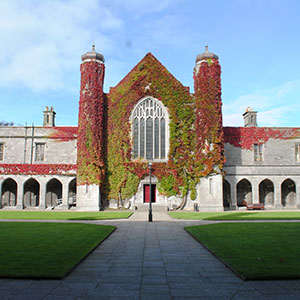
Guiding Breakthrough Research at University of Galway
We explore and facilitate commercial opportunities for the research community at University of Galway, as well as facilitating industry partnership.
-
Alumni & Friends

Alumni & Friends
There are 128,000 University of Galway alumni worldwide. Stay connected to your alumni community! Join our social networks and update your details online.
-
Community Engagement
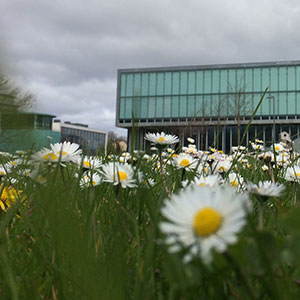
Community Engagement
At University of Galway, we believe that the best learning takes place when you apply what you learn in a real world context. That's why many of our courses include work placements or community projects.
 Accessibility & Language
FAQs
FAQ Intro
FAQs are all closed by default when the page is first loaded. When you click on one, it remains visible until another is clicked (you cannot close it - but you can hide the answer).
Setup instructions
To add FAQs to a page, add a single 'Show/Hide Holder' content type to that page.
Then add as many 'Show/Hide Item' content types as you like - each one needs a name, Question text, and Answer text. The answer can be as long as you like and can contain images, tables, etc.
Each Show/Hide item must also be given a unique anchor id (so that the website will know which answer to show when the user clicks on a question). You have to scroll to the end of the page to enter the Anchor information.
Collapsible Answers
Answers are normally not visible until you click on a question (unless you link directly to a question - see below).
But all answers will have the 'Hide Answer' button visible. This is helpful when you have long answers (especially for mobile users).
It's not so necessary with short answers, as in the below example.
If you want to prevent an FAQ from giving users the option to collapse answers, do the following:
After you have created your FAQs, add an 'NUIG Code Only' content type to the same section.
Name it 'Suppress Hide Answer buttons' and paste in the following code:
<script>$('p.hideFAQ').remove();</script>
Linking to FAQs
You can link directly to an FAQ by adding its anchor-id to the end of the web address of that page. For example, if you wanted to link to the last FAQ on this page you would put /#dance at the end of the URL (https://www.universityofgalway.ie/t4training/examples/faqs/#dance). If you look at this page in t4 you will see the anchor ID for that question is 'dance'. The page will load with the FAQ opened automatically
What movie is the quote “You had me at hello” from?
The classic 1877 novel “Black Beauty” is about what kind of animal?
“The Da Vinci Code” opens with a murder in which famous museum?
Which book about a band of rabbits became a bestseller in 1972?
What do I need to remember when saving an image for web use?
Are keywords and descriptions necessary anymore?
Demonstration
See above for an example of some FAQs. Please click one of the headlines to see the response:
Options: Suppress 'Hide Answer' feature or Re-enable 'Hide Answer' feature